Why mobile money goes missing from the books
Cash sits in the drawer; mobile money sits on somebody’s phone. If it is not recorded with the sale, the drawer looks short, or personal money gets mixed with the shop’s.
Four problems come up again and again: a business number and a personal number used together, a customer saying they paid without the message being checked, one transaction recorded twice, and a sale entered as cash when it was paid by phone.
Recording and receiving are two different things
An ordinary POS system records that a customer paid a certain way. The money itself travels over the mobile network as usual, to your number or account. DukaPOS works this way: it records, it does not collect money.
So the shop still has to confirm the money arrived before the goods leave.
Set a routine at the counter
A simple routine, followed every time, prevents most errors:
- Use a business number or account only for shop payments.
- Do not hand over goods until the confirmation message appears on the shop’s phone.
- Do not accept a screenshot as proof; check the shop’s phone.
- Write the transaction number on the sale.
- Have one person per shift hold the payments phone.
Name payment methods the way you use them
In DukaPOS you can give payment methods your own names: M-Pesa, Mixx by Yas (formerly Tigo Pesa), Airtel Money, HaloPesa or the bank. Cashiers see names they know, and each method has a place for the transaction number.
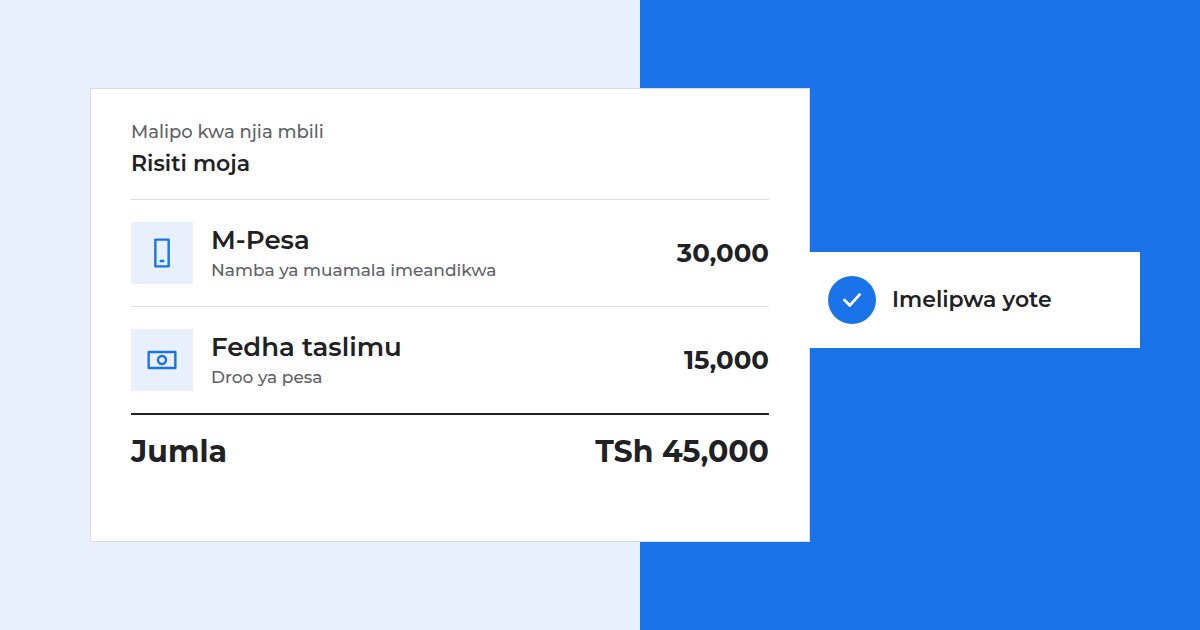
If a customer pays part in cash and part by phone, split the sale across the two. There is one receipt, and each amount goes to its own method.
Match the figures every day
At the end of a shift or day, do a short check for each payment method:
Sales for that method in the system = money received on the phone or account for the same period.
If there is a difference, look into it straight away while people still remember. Check for a sale recorded under the wrong method, a repeated transaction, or money withdrawn from the phone for expenses. The payment report shows how much came in through each method.
Do not mix fees with sales
If you pay a fee to receive or withdraw money, enter it as an expense. Leave it out and your balance will sit below your sales, and you will think money has gone missing. Accurate expenses are part of knowing your shop’s profit.
When a customer pays off a debt by phone, record it against their account so the balance goes down. See how to manage customer credit.
Try recording your mobile payments and see what each method brought in.